
Horario0.2.1 - Google Play
You'll be able to see results in few seconds.
Publisher Description
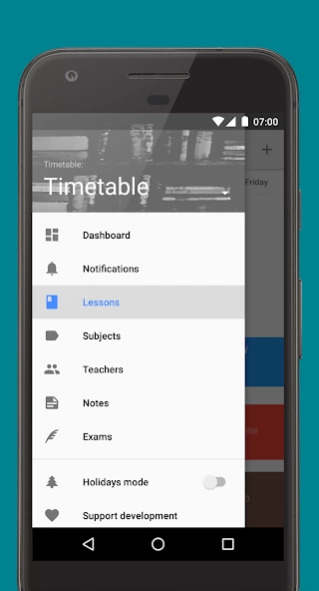
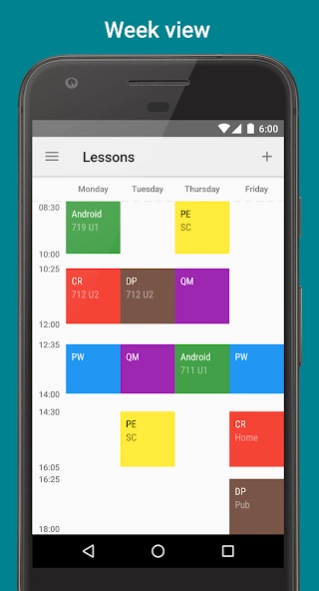

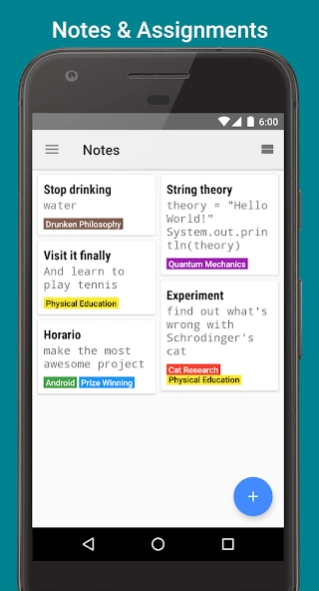
Horario – brand new way to organize study life
Horarioapp is a beautiful Material Design app, which helps you to manage your classes and exams in the most convenient way. Fill your timetable once and it will be with you wherever you go, because of sync across all your Android devices. Notifications won’t let you forget about your homework and exams.
Key features
-
Synchronization
: all your data is available on all your Android devices
-
Notes
: easy and convenient way to store your homework, tasks and reminders
-
Exams
: manage your exams and important tests alongside your classes
-
Notifications
: app tells you when important test or exam is coming
-
Share
: share your timetable with your friends
-
Do not disturb
: app turns on do not disturb mode when lesson or exam starts
-
Google Calendar integration
: sync your events with google calendar
-
Open source
: app is licensed under GPL v3
Additional features
-
Week cycle
: app supports up to 9-week cycle
-
Dashboard
: track all your upcoming events on one screen
-
Timetable view
: switch between list and grid view
-
Theme
: switch between light, dark and black themes
GitHub:
https://github.com/XJSHQ/horario
Crowdin:
https://crowdin.com/project/horario
About Horario
The company that develops Horario is Artem Chepurnyi. The latest version released by its developer is 0.2.1.
To install Horario on your Android device, just click the green Continue To App button above to start the installation process. The app is listed on our website since 2017-05-16 and was downloaded 0 times. We have already checked if the download link is safe, however for your own protection we recommend that you scan the downloaded app with your antivirus. Your antivirus may detect the Horario as malware as malware if the download link to com.artemchep.horario is broken.
How to install Horario on your Android device:
- Click on the Continue To App button on our website. This will redirect you to Google Play.
- Once the Horario is shown in the Google Play listing of your Android device, you can start its download and installation. Tap on the Install button located below the search bar and to the right of the app icon.
- A pop-up window with the permissions required by Horario will be shown. Click on Accept to continue the process.
- Horario will be downloaded onto your device, displaying a progress. Once the download completes, the installation will start and you'll get a notification after the installation is finished.
Program Details
System requirements
Download information
Pricing
Version History
version 0.2.1
posted on 2017-05-16
- Prompt about adding timetable on first navigation drawer open
- FIX: Default screen setting is ignored
- FIX: Launcher shortcuts does not work
- FIX: Adding note without subjects crashes app
- FIX: Swiping note does not remove it
version 0.2.1
posted on 2017-05-16
- Prompt about adding timetable on first navigation drawer open
- FIX: Default screen setting is ignored
- FIX: Launcher shortcuts does not work
- FIX: Adding note without subjects crashes app
- FIX: Swiping note does not remove it
Disclaimer
Official Google Play Link
We do not host Horario on our servers. We did not scan it for viruses, adware, spyware or other type of malware. This app is hosted by Google and passed their terms and conditions to be listed there. We recommend caution when installing it.
The Google Play link for Horario is provided to you by apps112.com without any warranties, representations or guarantees of any kind, so access it at your own risk.
If you have questions regarding this particular app contact the publisher directly. For questions about the functionalities of apps112.com contact us.
